View Remote EOR Onboarding Tasks in BambooHR
You can now view your EOR employee onboarding progress directly in BambooHR. This update brings key onboarding steps from Remote into a single, centralized view, so you no longer need to leave BambooHR to check statuses. With clear progress tracking and built-in actions, you can quickly identify blockers and keep onboarding moving forward.
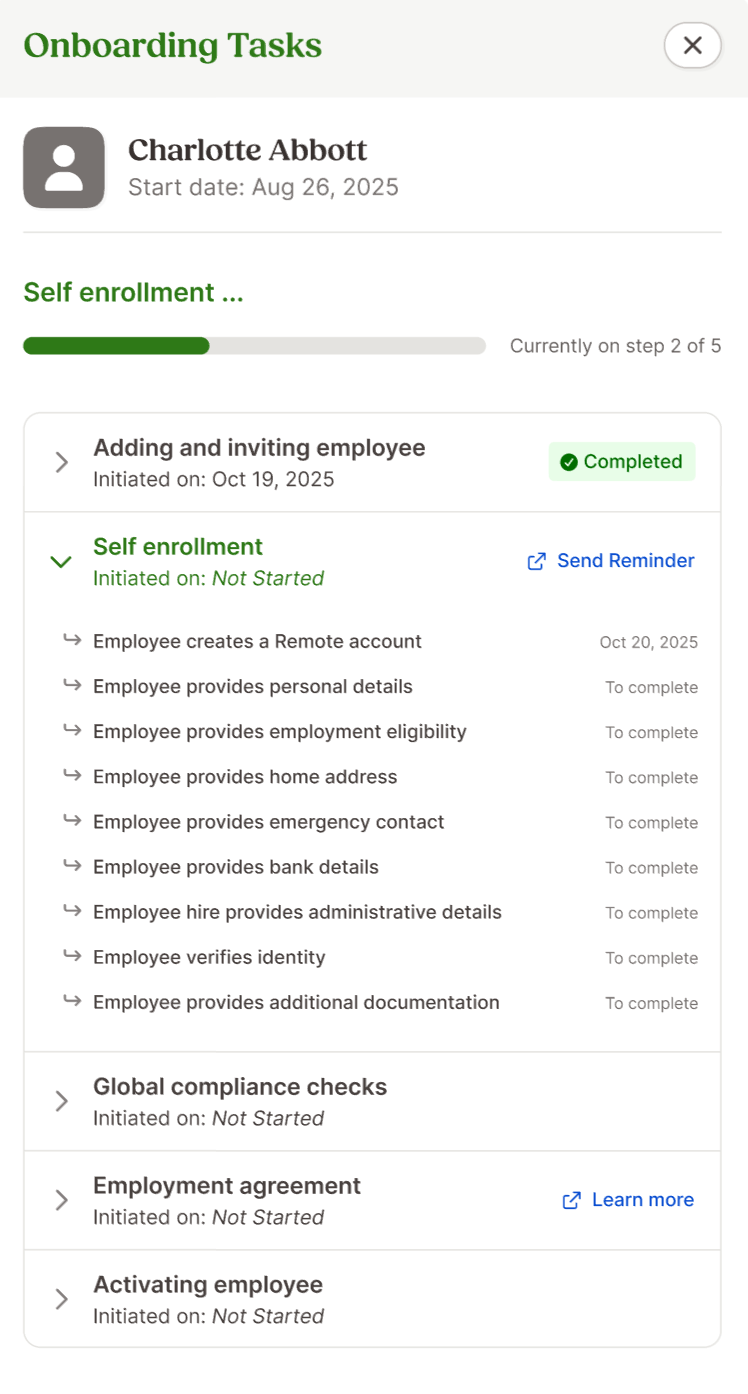
The new Onboarding Tasks modal gives you a clear view of each EOR employee’s onboarding progress. Each step includes a current status, the initiated date, and a list of substeps. While onboarding steps may vary by country, most employees will move through five main stages: adding and inviting the employee, self-enrollment, global compliance checks, employment agreement, and activating the employee.
At the top of the modal, you will see a progress summary that highlights the employee’s current step, their step number out of the total steps, and an overall progress bar. The modal automatically opens to the most relevant step, either the one currently in progress or the next step that needs attention. This helps you focus on what matters most right away.
You can also take action directly from the modal. If an EOR contract remains incomplete, you can open the draft and continue working. If payment blocks onboarding, you will see a reserve payment required indicator so you can address it quickly. You can send reminders to employees who have not started self enrollment, or cancel onboarding if plans change.
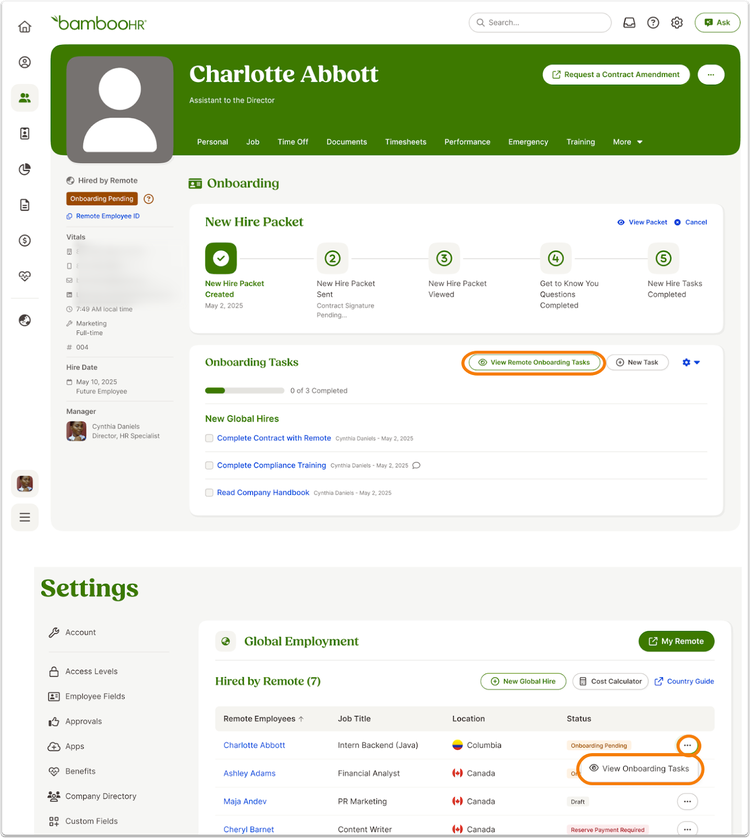
You can access the Onboarding Tasks modal from the employee’s Onboarding tab on their Employee Profile or from the Global Employment Settings page. The modal appears only when an employee has a status of Draft Created, Onboarding Pending, Reserve Payment Required, or Active with a future Remote Start Date. Once the employee passes their hire date or onboarding is completed, the modal will no longer display onboarding details.
The Account Owner, Full Admins, and users assigned to a custom access level that includes Manage EOR permissions can view EOR onboarding tasks. EOR employees cannot view their own onboarding tasks.
Please note that this modal does not display custom workflows created by Remote Support, onboarding tasks for employees in a pre-hire status, or a background check step.
As always, we love your feedback! To provide product feedback on this feature and more, head over to our product feedback page and let us know how we’re doing.