Xero "Categories" and QBO "Classes" Enhancement
BambooHR is thrilled to announce a powerful new enhancement to its accounting integrations: direct support for QuickBooks Online (QBO) Classes and Xero Tracking Categories. This long-awaited feature lets BambooHR Payroll customers track transactions across specific business segments. This helps you streamline financial reporting and get a clearer look at your payroll data.
By partnering with Merge, we’ve accelerated the delivery of these critical capabilities, enabling you to bring your payroll data into your accounting software with enhanced detail and accuracy.
What's New?
This new functionality allows you to assign specific business segments—such as departments, locations, product lines, or even events—directly to your payroll transactions. This means your Journal Entry (JE) reports sent from BambooHR Payroll to QBO or Xero will now include this valuable contextual data, making financial analysis and reporting significantly more robust.
How It Works:
Setting up your QBO Classes or Xero Tracking Categories is straightforward:
1. After connecting your report to the integration, simply navigate to your connected Journal Entry r
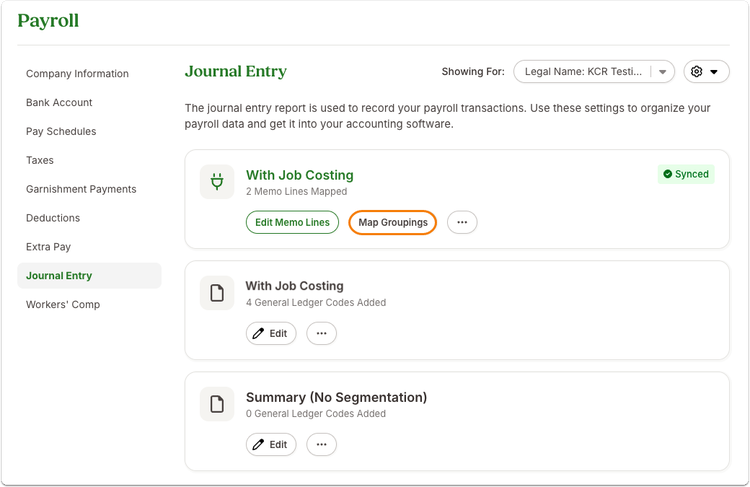
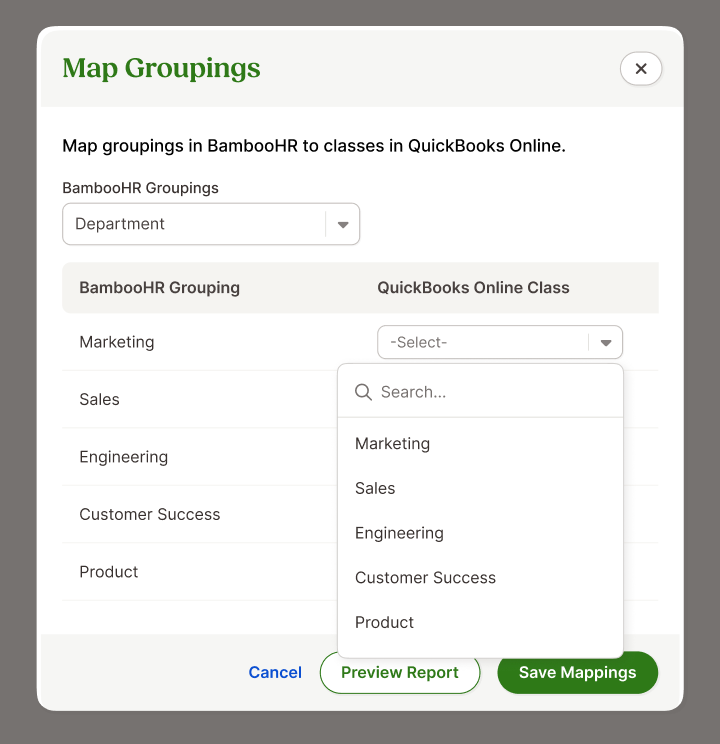
2. A modal will appear, allowing you to select the BambooHR fields you wish to map to your QBO Class or Xero Tracking Category. For example, you can map "Department" or "Work Location" to a specific class or category. You can assign one grouping (e.g., department, division) to a QBO Class/Xero Category per transaction.
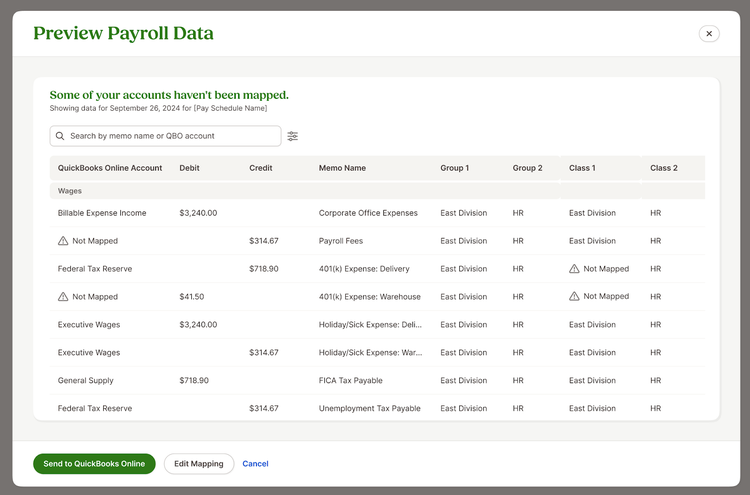
3. When you send your payroll report, the assigned Classes or Tracking Categories will be visible in the preview before final submission, ensuring everything is accurate.
As always, we love your feedback! To provide product feedback on this feature and more, head over to our product feedback page and let us know how we’re doing.