Overview
Promote your jobs on LinkedIn directly from BambooHR. Reach LinkedIn’s professional audience while staying in the hiring tools you already use. Pay only for performance and stay in control of your budget with no contracts or long-term commitments.
What you get:
Better candidates
Paid jobs on LinkedIn get up to 3x more qualified applicants than free listings. In fact, 91% of promoted jobs receive at least one qualified candidate application within the first 24 hours.
Built-in simplicity
Post and promote jobs in just a few clicks, without leaving BambooHR.
Smart targeting
Reach both active job seekers and passive candidates open to new roles.
Pay for performance.
Choose the promotion package that fits your hiring needs. No wasted spend.
Where your promoted job appears
When you promote a job on LinkedIn through BambooHR, your role gets featured across multiple surfaces where professionals are actively engaged:
- At the top of LinkedIn job search results
- In personalized job recommendations
- In the LinkedIn feed
- Via email alerts to matching professionals
- Through mobile push notifications
This means your job reaches both active job seekers and passive candidates who may not be searching on traditional job boards.
Integration
How it works
1. Post your job in BambooHR
Create and manage your job the same way you always do.
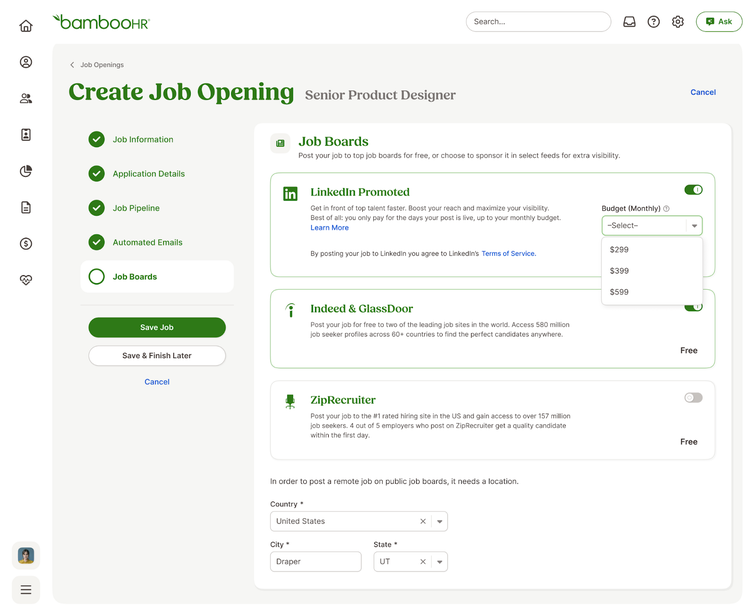
2. Choose to promote on LinkedIn
Turn on LinkedIn promotion directly from BambooHR with just a few clicks.
3. Pay only for performance
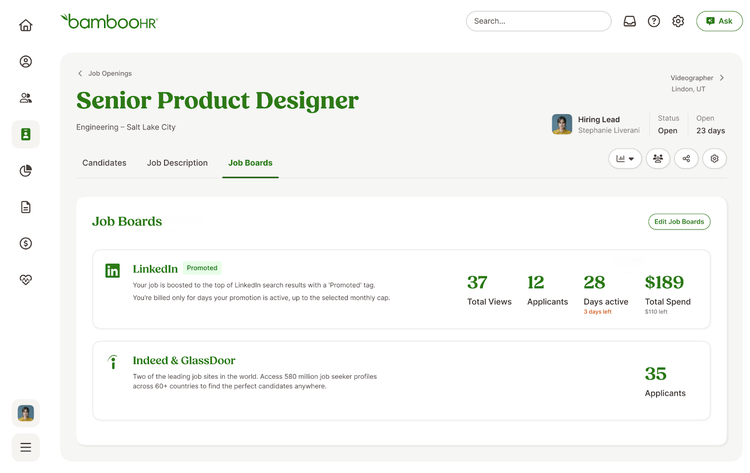
Set your budget, track engagement, and turn promotion on or off anytime, all from within BambooHR.
Who this works best for
Promoting your job on LinkedIn is a great fit if you are:
- Hiring for roles where experience and qualifications matter
- Looking to reach candidates beyond traditional job boards
- Budget-conscious and want control over how much you spend
- Hiring seasonally or for short-term needs, and want the flexibility to turn promotion on or off
What happens after candidates apply?
Candidates apply on LinkedIn and are routed directly back into BambooHR. You review and manage all applicants in one place. No new tools or switching between platforms.
How to install
Only Account Owners (not other Admins) can install the LinkedIn App in BambooHR.
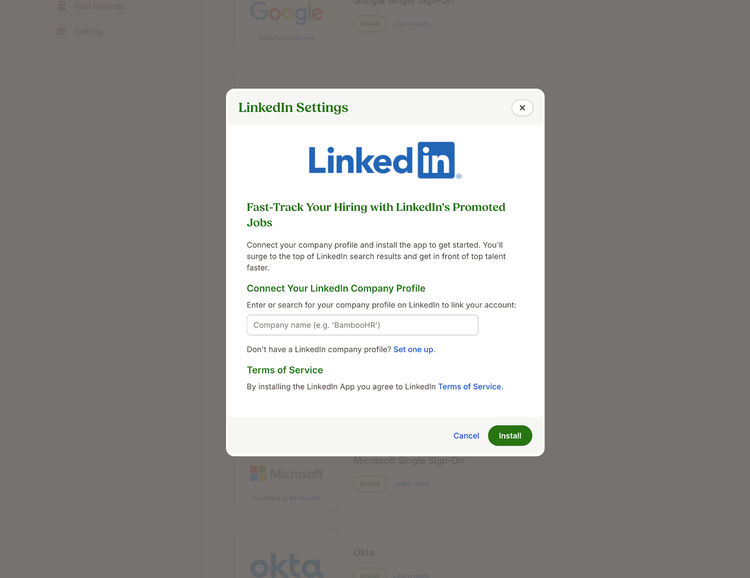
- Go to Settings > Apps and click Install on the LinkedIn App.
- Enter your LinkedIn Company ID or URL
- Valid input → Success
- Invalid input → Error message
- Select your LinkedIn Company Account
- Your company must exist on LinkedIn. If not, you can create one here.
- Accept LinkedIn’s Terms and Conditions to complete the setup.
Once installed, you can promote jobs to LinkedIn directly from BambooHR.
What Data Syncs?
Publisher
BambooHR
Updated: 7/16/2025
Phone Support:
1-866-387-9595
Email Support:
support@bamboohr.com
Support Hours:
6am MDT - 6pm MDT